Get your app on both stores
Publish to the Google Play Store and Apple App Store with signed builds, source code exports, and one-click APK/AAB generation. No terminal. No CLI. No headaches.

Two ways to publish your app
Use the one-click build service or download the full source code and build it yourself. Either way, you get a real native app.
One-Click Build
Recommended for most users
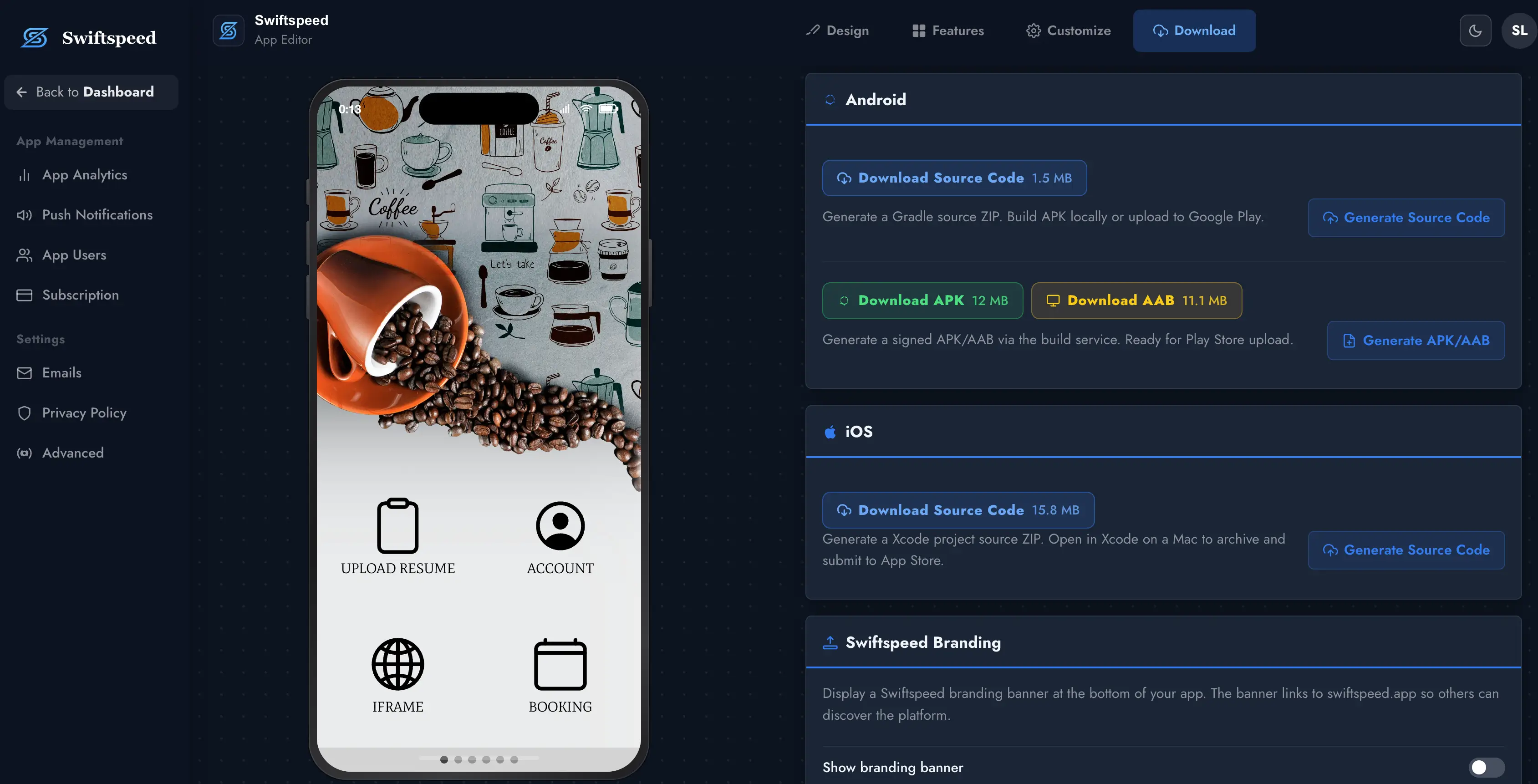
Hit the build button in the editor and we generate a signed APK and AAB file ready for the Google Play Store. Download it and upload directly — no Android Studio required.
Source Code Export
For developers who want full control
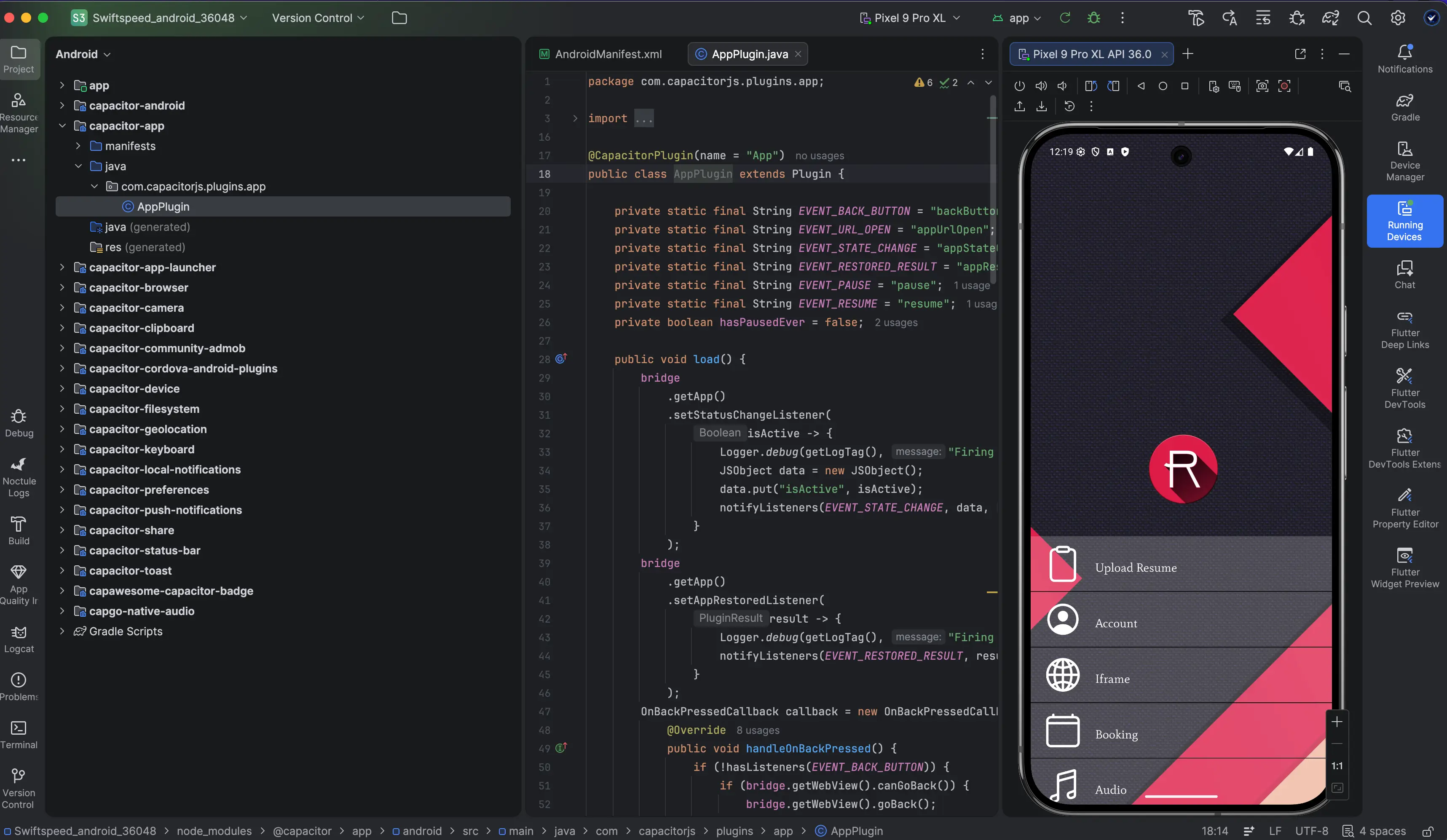
Download a complete Gradle project (Android) or Xcode project (iOS). Open it in your IDE, customize anything, and build or submit manually.
Publish to Google Play
Swiftspeed generates a signed APK and AAB using your own keystore. Download the AAB and upload it to your Google Play Console — or export the full Gradle source code and open it in Android Studio for custom modifications before publishing.
One-click APK/AAB
Click "Download APK" or "Download AAB" in the editor. We build it on our servers with your keystore and deliver a signed binary.
Download the file
Your signed APK (~13 MB) and AAB (~12 MB) are ready to download in seconds. No Gradle, no terminal, no waiting.
Upload to Google Play
Go to your Google Play Console, upload the AAB file, and submit for review. That is it.
Publish to the App Store
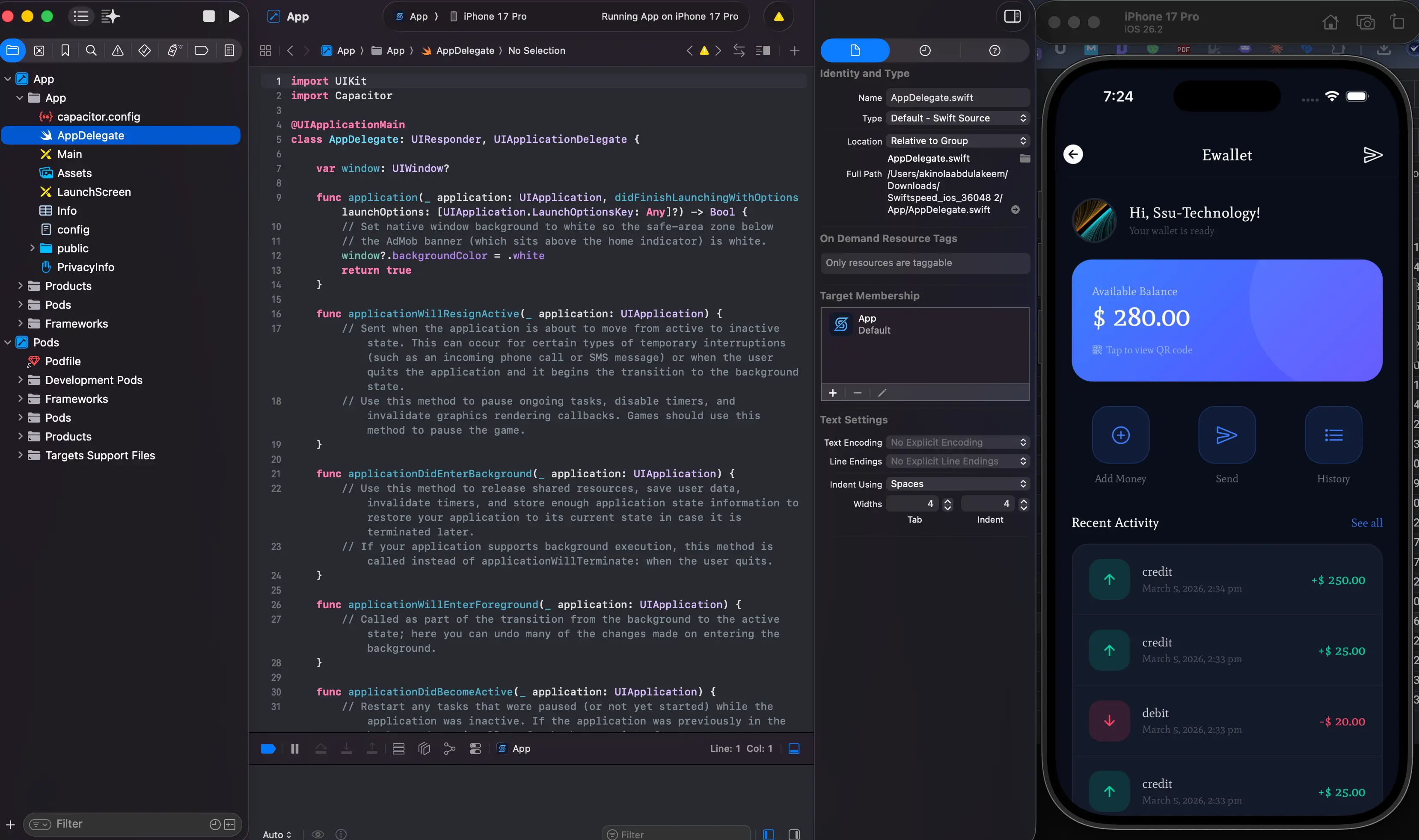
Download a complete Xcode project, open it on your Mac, and submit to the App Store via Xcode or Transporter. The source code includes all Capacitor plugins, splash screens, icons, and your app configuration — ready to archive and upload.
Download Xcode project
Click "Download Source Code" under iOS. You get a complete Xcode project ZIP with all dependencies.
Open in Xcode
Unzip and open the .xcworkspace file. The project includes your app icons, splash screens, Capacitor config, and all plugins.
Archive and submit
Select your signing team, archive the build, and upload to App Store Connect via Xcode or Transporter.
Production-ready from day one
App Signing
PKCS12 keystore for Android. Your signing identity stays private and is never shared between apps.
Icons & Splash Screens
Auto-generated for every required size — Android adaptive icons, iOS asset catalogs, and splash images.
Push Notifications
Firebase Cloud Messaging for Android, APNs for iOS. Pre-configured and ready to send from the editor.
App Store Compliance
Privacy manifest, NSUserTrackingUsage description, and required entitlements are pre-configured.
Screen Orientation Lock
Set portrait, landscape, or both. Applied in AndroidManifest.xml and Xcode project settings.
Optimized Build Size
APK around 13 MB, AAB around 12 MB. Native Capacitor shell with no bloat.
Frequently asked questions
Ready to ship your app?
Build your app in the editor, hit download, and publish to both stores. It really is that simple.