How to Download Source Code
Source Code Export
Every app you build with Swiftspeed can be exported as full native source code: a Capacitor + Vue project that opens directly in Xcode (iOS) and Android Studio (Android). You get every file: app shell, every feature's frontend, the assets you uploaded, the platform-specific Capacitor config. Customers who outgrow the editor or need bespoke native modifications can take the code and continue building on their own.
Generating and Downloading
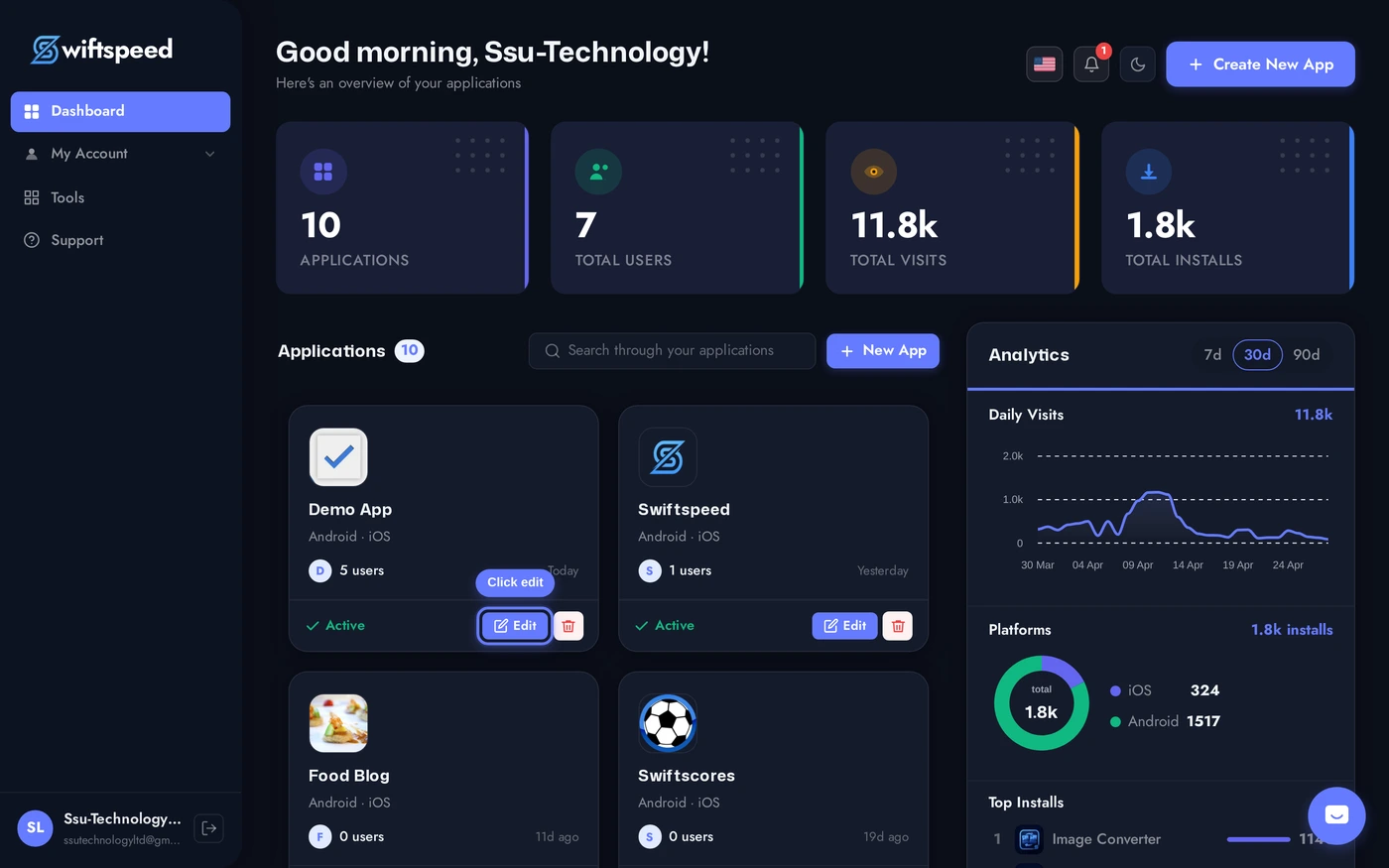
Click the edit pencil on the app you want to export.
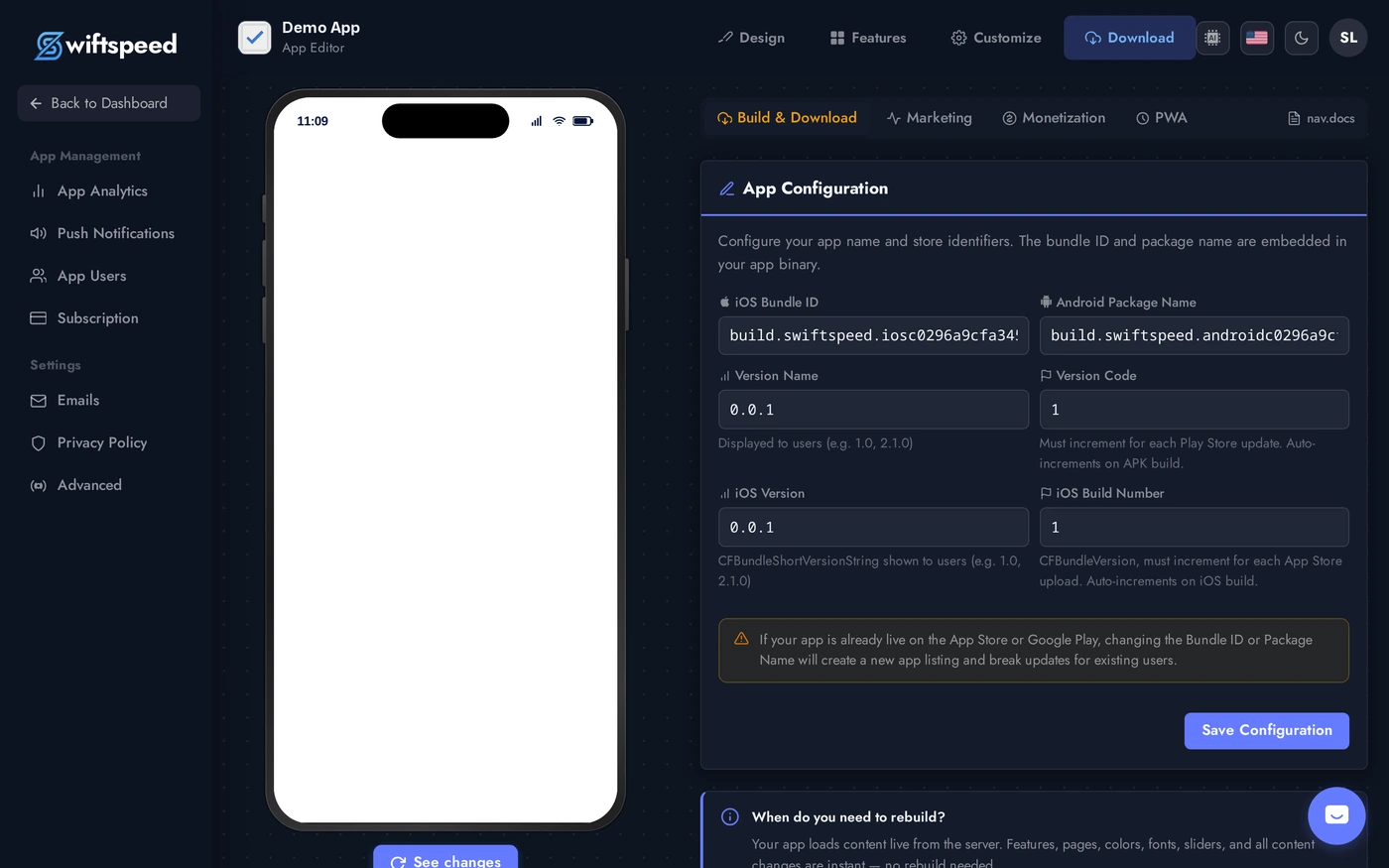
In the editor top bar, click Download to open the Publish workspace.
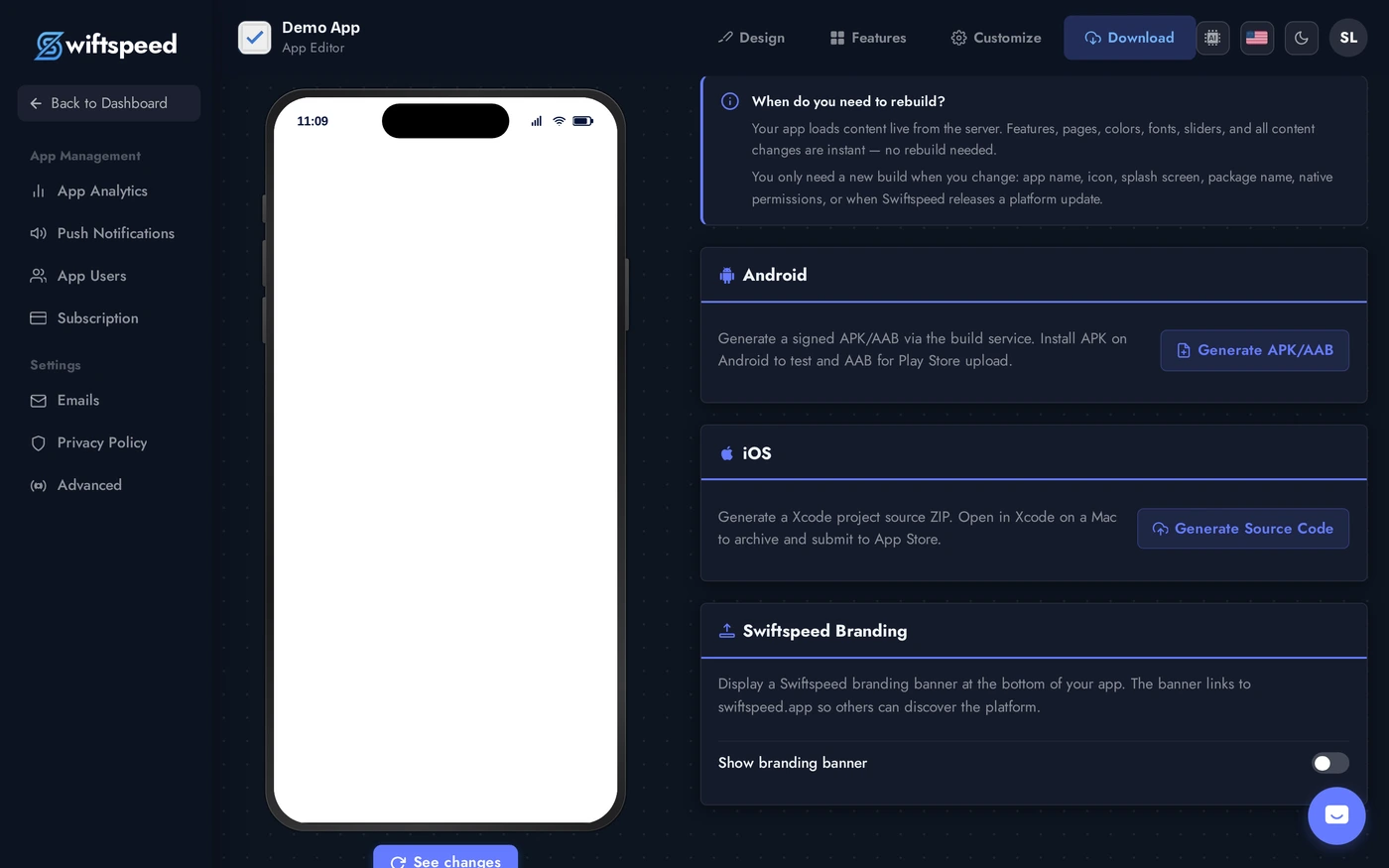
Scroll to the Source Code section. Click Download iOS Source for the Xcode-ready project, Download Android Source for the Android Studio project. Each is a zip; the build server packages it on demand and emails you when it is ready.
What is in the Export
- Full native projects:
ios/App/App.xcodeprojfor Xcode,android/for Android Studio. Open and build with one click. - Web layer: the Capacitor + Vue source under
www-native/(or equivalent). Edit the JS/TS, runnpx cap syncto push back into native. - Assets: every icon, splash, image, audio, and JSON config you uploaded.
- No build artifacts: APKs, AABs, and IPAs are NOT included. Generate those from your local machine after exporting.
Tips
- You own the code. Once exported, the source is yours. You can take it to any developer, host it on GitHub, modify the native code freely.
- Continued editor sync is one-way. After export, future Swiftspeed editor changes do not auto-flow into your local code. Pick one path: keep editing in the editor and re-export periodically, OR fork into your own development workflow.
- iOS export needs an Apple Developer account to actually ship to the App Store. The exported project is unsigned, you sign it locally with your team certificate.
- Android export builds with your own keystore. Set up signing in Android Studio (
Build > Generate Signed Bundle / APK) before publishing.