How to Download Your APK
What is the APK / AAB / Source?
Three different files come out of the editor's build pipeline:
- APK (Android Package Kit): a single installable file. Best for sideloading, internal QA, or third-party Android stores. Customers install it by tapping the file or scanning a QR code.
- AAB (Android App Bundle): the bundle Google Play actually wants for Play Store submissions. Google strips it into device-specific APKs at install time, so customers download a smaller file than they would from a single APK.
- iOS Source: the full Capacitor + Xcode-ready project zip. You open it in Xcode (Mac required for iOS submissions), sign with your Apple Developer team certificate, and submit through App Store Connect.
- Android Source (zip): same idea for Android, the full Android Studio project zip alongside the APK / AAB.
All four are produced from the same editor in a single Generate flow per platform. No Mac required to build APK / AAB; only iOS submission needs Xcode on a Mac.
Opening the Publish Page
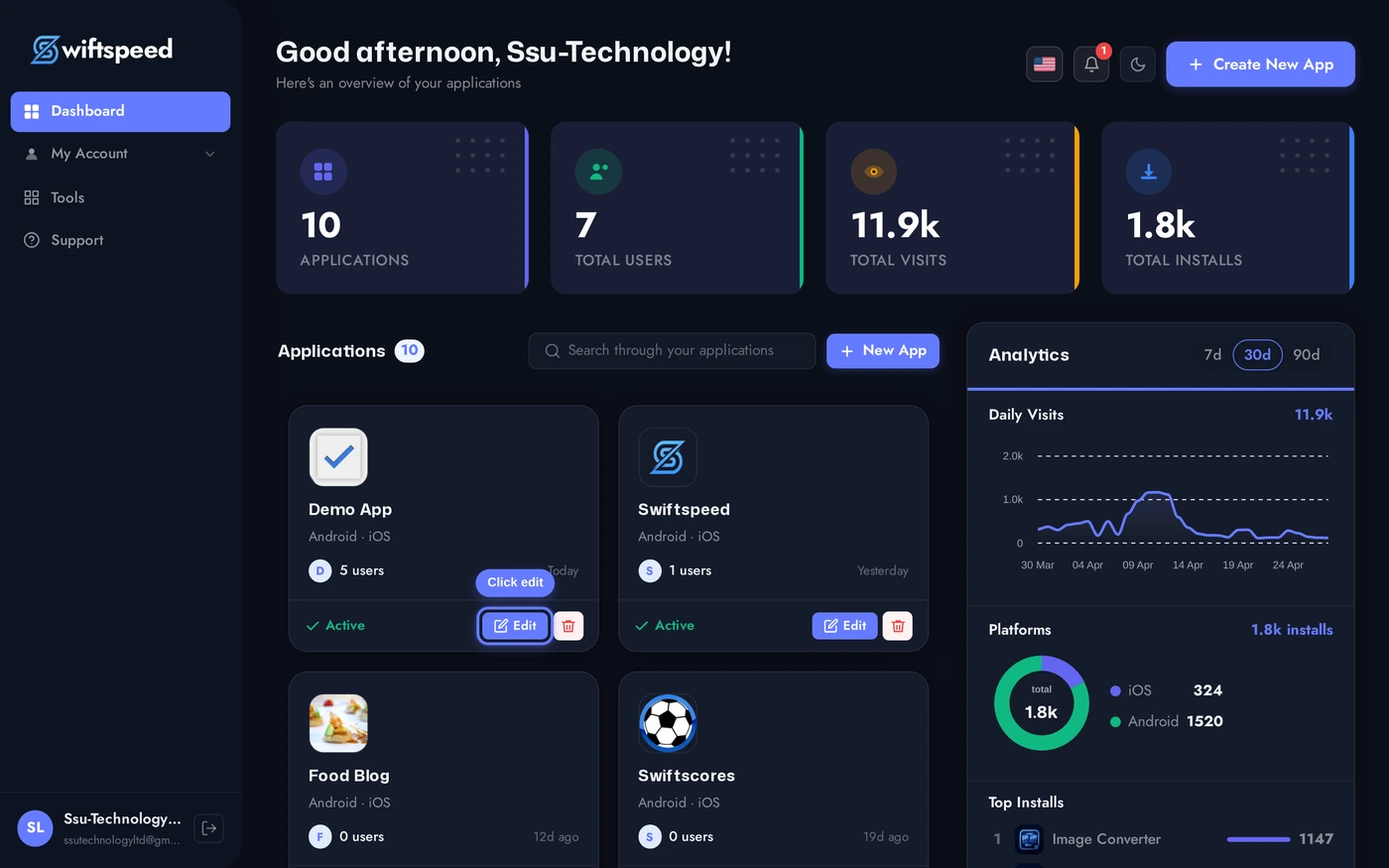
From the dashboard, click the edit pencil on the app you want to build.
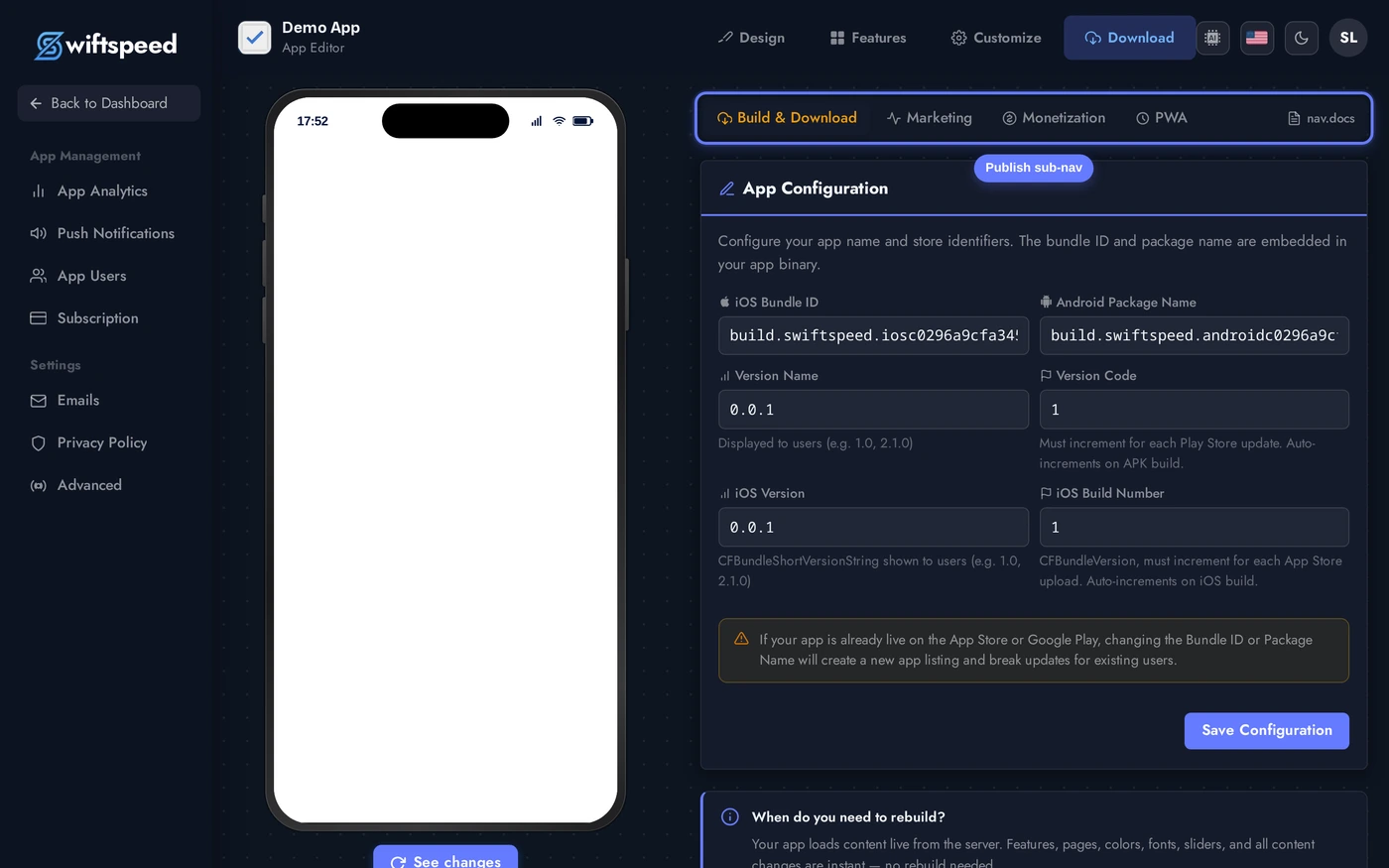
In the editor top bar, click Download. The Publish workspace opens on the App Info sub-tab. Every build trigger lives here: App Configuration at the top (bundle ID, version code, version name), then Android Build (APK + AAB), then iOS Build (iOS source code), then Branding.
Triggering an Android Build (APK + AAB)
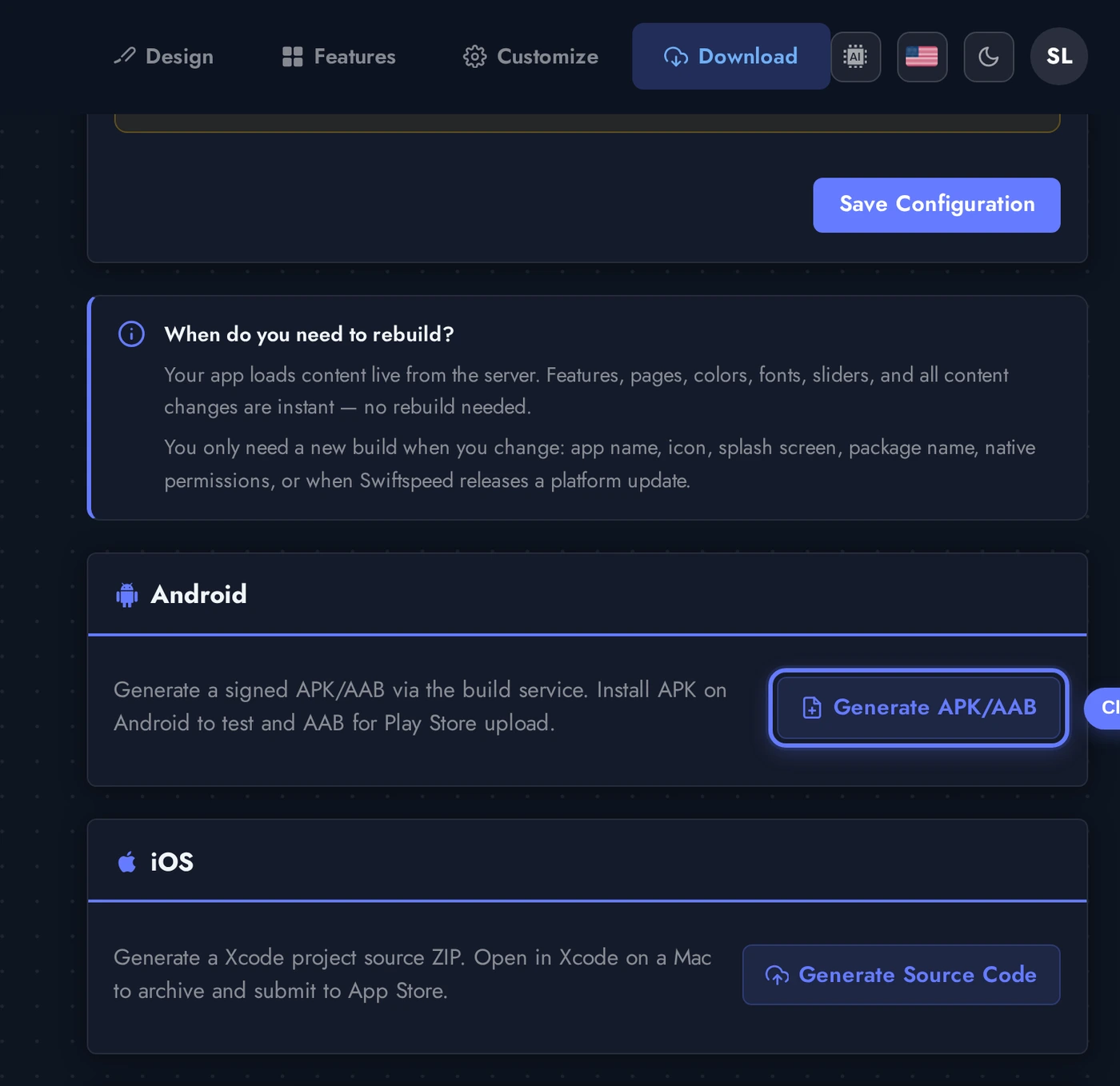
The Android Build card has one button: Generate APK / AAB. Click it and the cloud build server queues the job, runs gradle assembleRelease bundleRelease, signs both artifacts with your app's keystore, and emails you when the files are ready (typically 5 to 15 minutes for a fresh build, 1 to 3 minutes for incremental builds).
Scroll to the Android Build card. The button reads Generate APK / AAB. Clicking it queues a build, the button switches to a spinner labelled "Queued" then "Building" while the cloud server works. You can leave the page; the build keeps running.
Triggering an iOS Build (Source)
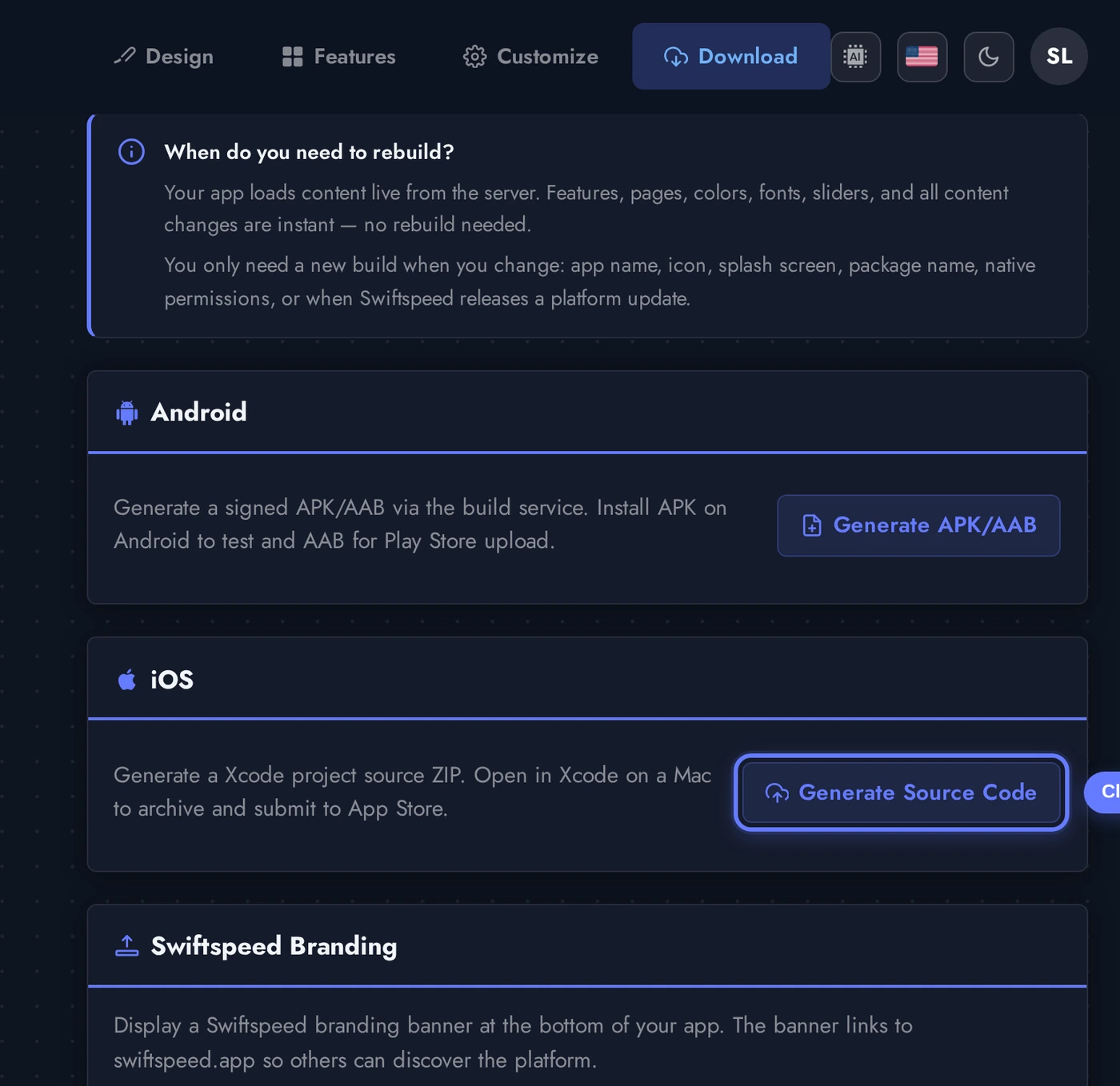
The iOS Build card has one button: Generate Source Code. iOS apps cannot be signed in the cloud (Apple requires the team certificate, which lives on your Mac), so the Swiftspeed iOS path produces a full Xcode-ready project zip. You unzip it on a Mac, open App.xcworkspace, archive, and upload to App Store Connect.
Scroll to the iOS Build card and click Generate Source Code. The cloud server packages the Capacitor + Xcode project, applies your icon and splash, injects the right bundle ID + version, and produces a single zip. Same status flow as Android: Queued → Building → Success.
Downloading the Files
Once a build finishes, the Android Build card swaps the Generate button for a row of download pills: one per artifact. Same on iOS. Each pill is a one-click download that streams the file from the build server.
When both builds succeed, you get four downloadables: Android source ZIP, APK, AAB, and iOS source ZIP. Each pill shows the file size next to the type. Click any pill to download. Files stay available for 24 hours from build completion.
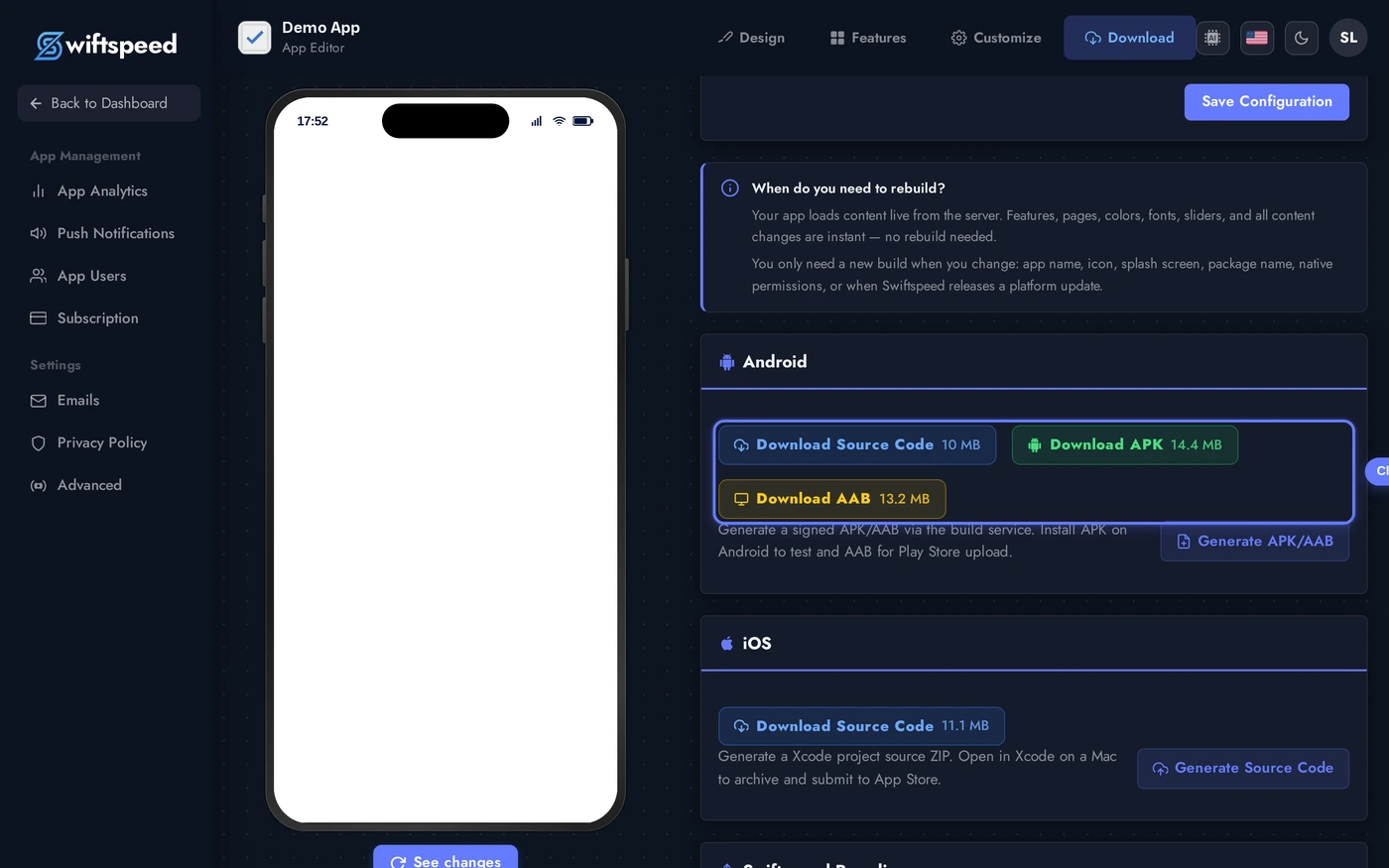
Builds and their download links live for 24 hours from completion. After that, click Generate again to produce a fresh set; the editor automatically bumps the version code on each new build to satisfy Play Store / App Store requirements.
When to Pick APK vs AAB vs Source
- APK: distribute outside the Play Store (your own website, internal testing, third-party Android stores, sideload via USB or QR code).
- AAB: required for new uploads to Google Play. Google strips it into device-specific APKs at install time, smaller download for end users.
- Android Source ZIP: full Android Studio project. Use it when you need to make custom native changes Swiftspeed does not expose, or migrate the codebase out of Swiftspeed entirely.
- iOS Source ZIP: full Xcode project. Required for App Store submission (no cloud-signed IPA path on iOS today). Open on a Mac, sign with your Apple Developer team, archive, upload to App Store Connect.
- Swiftspeed signs Android builds with a stable upload key per app. Don't rotate keys between builds, Play Console rejects re-signed updates.
Tips
- Set the App Configuration first. Bundle ID, version code, and version name on the App Configuration card at the top of the page. Shipping with default values causes Play Store + App Store rejection.
- Bump version code on every build. Android requires a strictly-increasing integer per Play Console upload. The editor bumps it automatically; if you build manually, increment it yourself.
- APK file size matters. Anything over 100MB triggers Play Store warnings. Compress images, prune unused features, generate AAB to let Google split the bundle.
- Test on a real device before uploading to Play. Sideload the APK via
adb installor scan the editor's QR code, the Play Console flags far fewer issues than your own QA process will. - iOS source needs a Mac to actually ship. No way around it, Apple requires Xcode for App Store submission. The Mac can be a borrowed one or a cloud Mac service like MacInCloud.
- Keystore is per-app and permanent. First build auto-generates a keystore, every subsequent build for that app uses the same one. Lose the keystore and Play Console will not accept updates from a new key, you lose the ability to update existing installs.